Howard Hughes - Supplier Setup Connect To Hhc

Update Users

Approved suppliers may manage user and contact information through the Howard Hughes Supplier Management Portal powered by Apexanalytix. This guide outlines the steps required to add, edit, and assign user roles and contact details within your supplier profile.
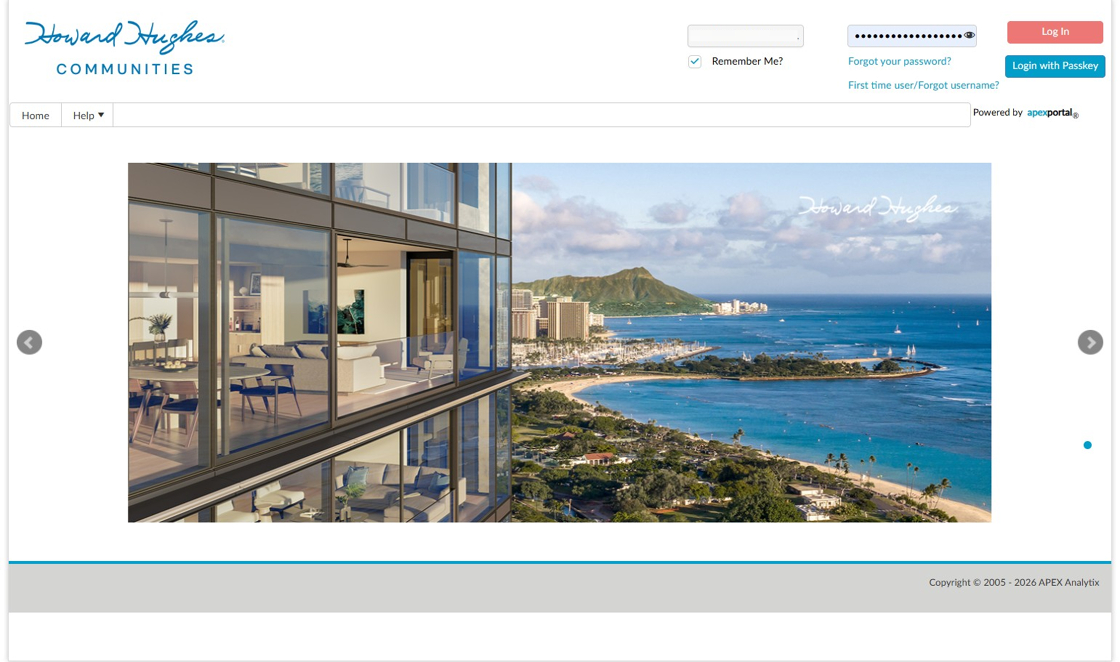
Navigate to the Howard Hughes Supplier Management Portal and log in.

A modern glass apartment building overlooks a beach and cityscape with Diamond Head mountain in the background under a partly cloudy sky.

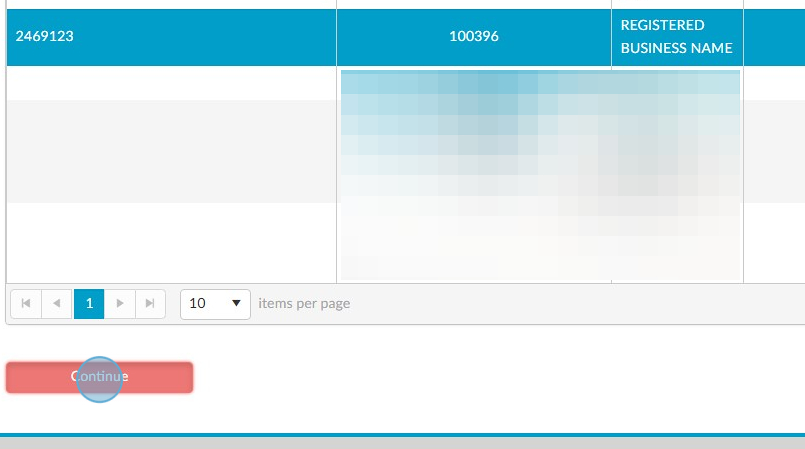
Click the supplier profile name then click Continue.

A web page table with columns of numbers and text, a blurred cell, pagination controls, and a red

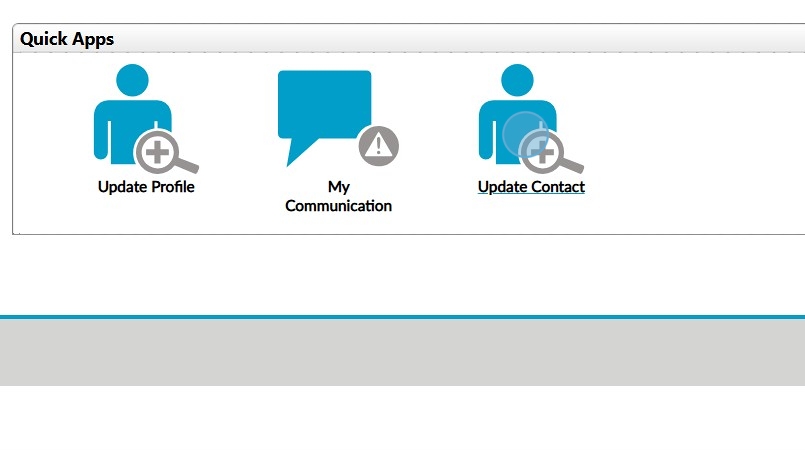
Click Update Contact to view or add additional contact information.

Screenshot of a

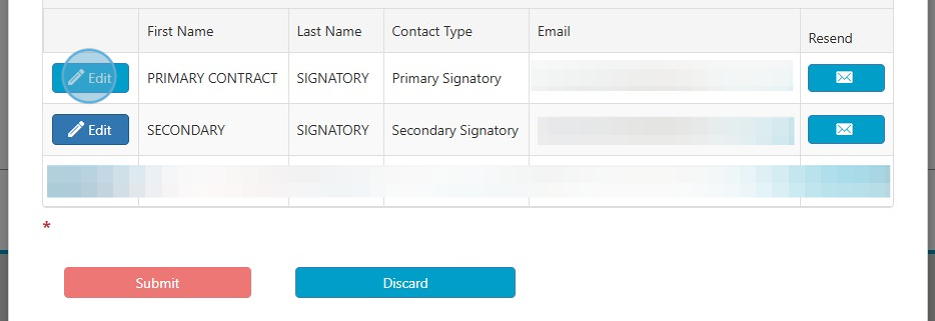
Click Edit to open the contact grid.

Table with contact information fields and options to edit or resend details; red

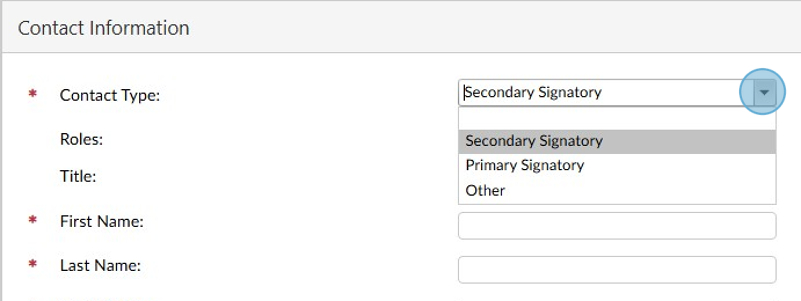
Click the first dropdown menu to view and assign a contact type.

An online form displays a dropdown menu for contact type with options: Secondary Signatory, Primary Signatory, and Other. Fields for roles, title, first name, and last name are shown.

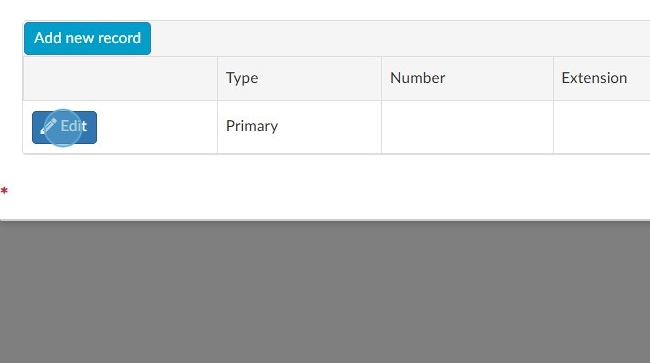
Click Edit to add a phone number or click Add new record to add additional phone numbers.

A web form displays a table with columns for Type, Number, and Extension, and an

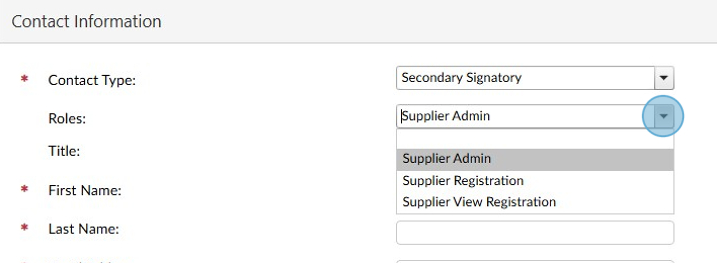
Click the second dropdown menu to assign a contact type with one of the following roles:

  • Supplier Admin

  • Supplier Registration (profile maintenance access only)

  • Supplier Review Registration (view access only)

A contact information form shows a dropdown menu under

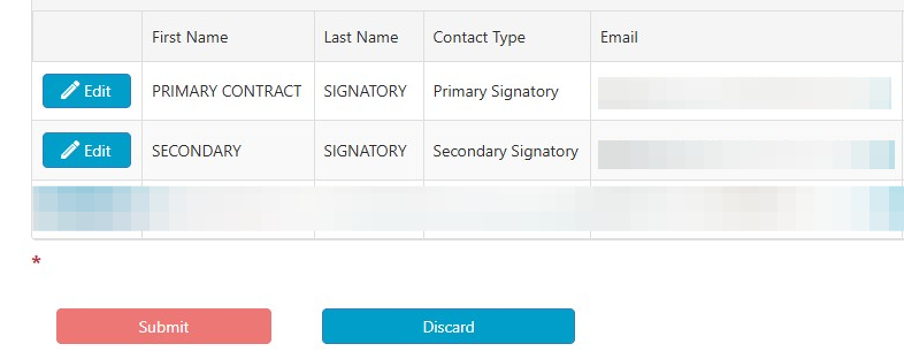
Click Submit to save contact information.

A table lists two signatories with buttons to edit their details, and below are

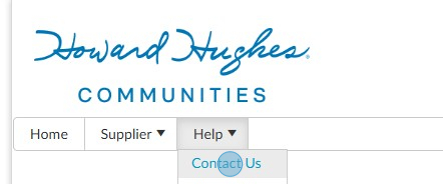
If you have questions or need assistance, contact our team through the Contact Us page.

A screenshot of a contact us.